How to Convert ChatGPT Markdown into a Professional PDF
ChatGPT produces excellent content.
Polished.page turns it into a document you're proud to send.
Paste Markdown directly from ChatGPT, apply a publication theme, and export a professional PDF—without fixing formatting in Word.
Before and after
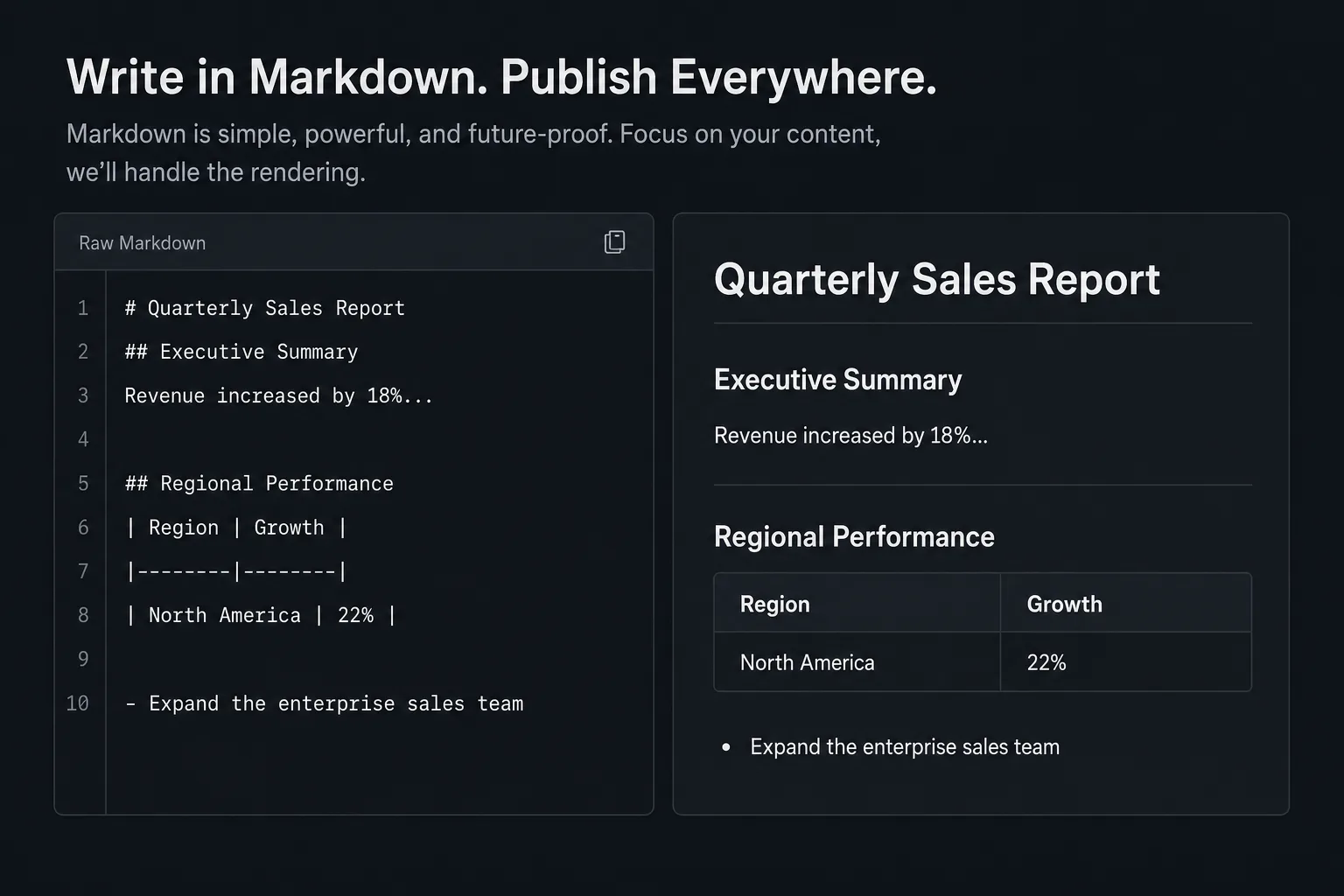
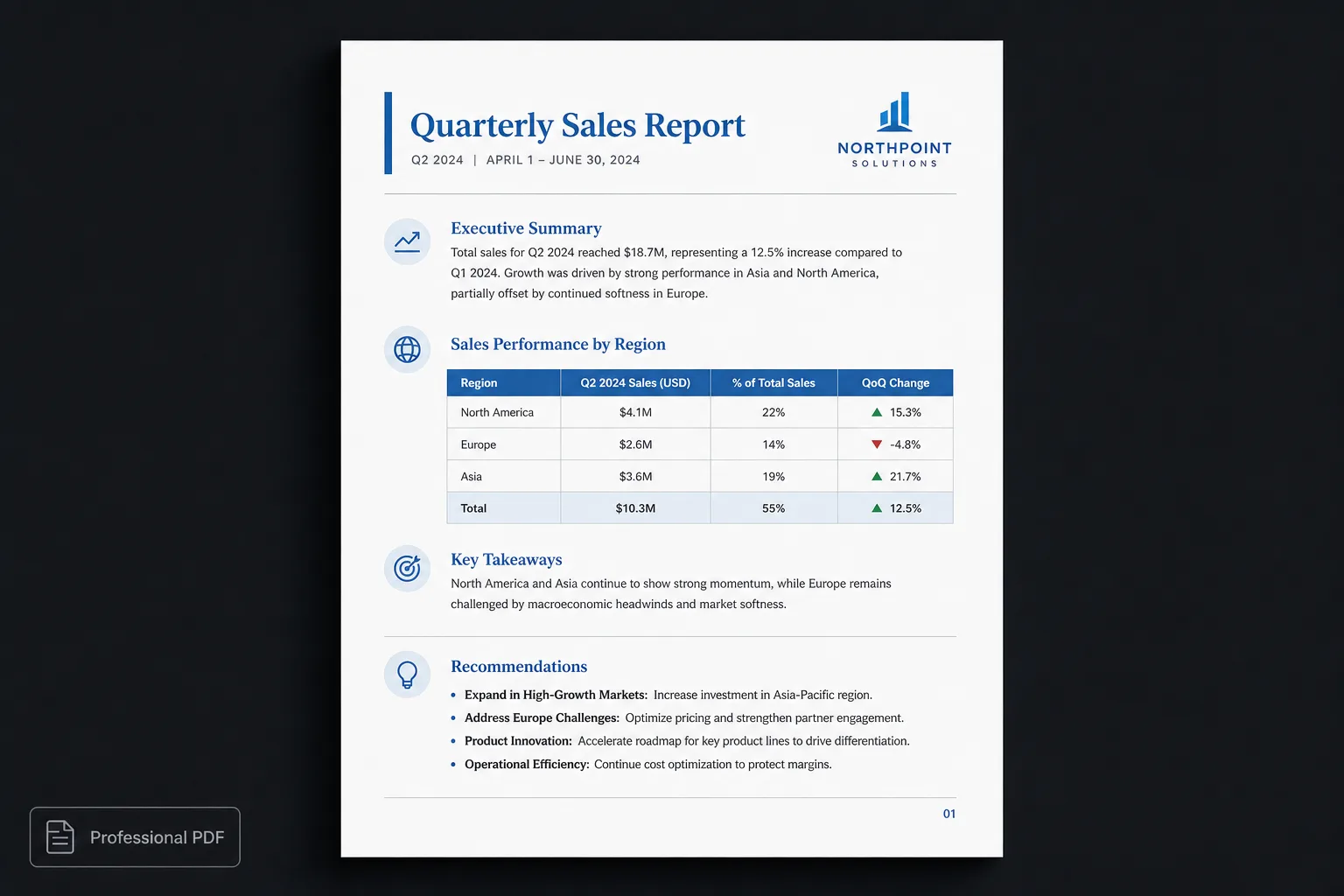
Left: raw Markdown from ChatGPT. Right: the same structure as a professional PDF.
How to convert ChatGPT Markdown into a professional PDF
Most AI assistants—including ChatGPT—naturally produce Markdown. Headings, tables, lists, code blocks and links are represented as structured text rather than visual formatting. That makes the content portable, editable and easy to reuse.
The challenge begins when it’s time to share the result. Many people paste ChatGPT output into Microsoft Word or Google Docs, then spend time fixing fonts, spacing, page breaks, tables and headings before exporting a PDF. That manual formatting often takes longer than writing the document itself.
Polished.page takes a different approach. Instead of rebuilding the document inside a word processor, keep the structured Markdown exactly as ChatGPT produced it, apply a professionally designed publication theme, and export a polished PDF in seconds.
Why AI writes Markdown
Modern AI assistants generate Markdown because it is a structured, portable format that cleanly represents headings, lists, tables, code, links, and other document elements without mixing in presentation. That is the educational core of this workflow:
AI generates the structure. Polished.page generates the presentation.
That distinction—structure vs. presentation—is why Polished.page is a publishing workflow rather than “another Markdown-to-PDF converter.”
Why ChatGPT uses Markdown
Markdown is a lightweight markup language that describes the structure of a document rather than its appearance. Instead of storing font sizes, colours and margins, Markdown describes headings, paragraphs, lists, tables, links, images, code blocks, and quotes.
That makes Markdown an ideal exchange format between AI assistants, editors and publishing systems. Because the structure remains clean and predictable, the same document can be presented with completely different visual designs without changing the original content.
Why Word becomes frustrating
A common workflow looks like this: ask ChatGPT to write a report, copy the response, paste it into Word, fix formatting, adjust headings, resize images, repair page breaks, then export to PDF. For short notes that may be fine. For reports, manuals, and proposals, formatting often becomes the slowest step.
| Word workflow | Polished.page |
|---|---|
| Paste text | Paste Markdown |
| Repair headings | Automatic hierarchy |
| Resize images | Automatic layout |
| Fix page breaks | Intelligent pagination |
| Style tables | Publication theme |
| Export PDF | Export polished PDF |
A better workflow
- Generate content with ChatGPT (or Claude, Gemini, Cursor, Codex…).
- Copy the Markdown.
- Paste it into Polished.page.
- Choose a publication theme.
- Export a professional PDF—or an editable Word file.
Because content and presentation remain separate, changing the visual identity of the document takes seconds instead of rebuilding the layout. The same Markdown can become a corporate report, technical manual, consulting proposal, product docs, or client deliverable without rewriting a paragraph.
Live example
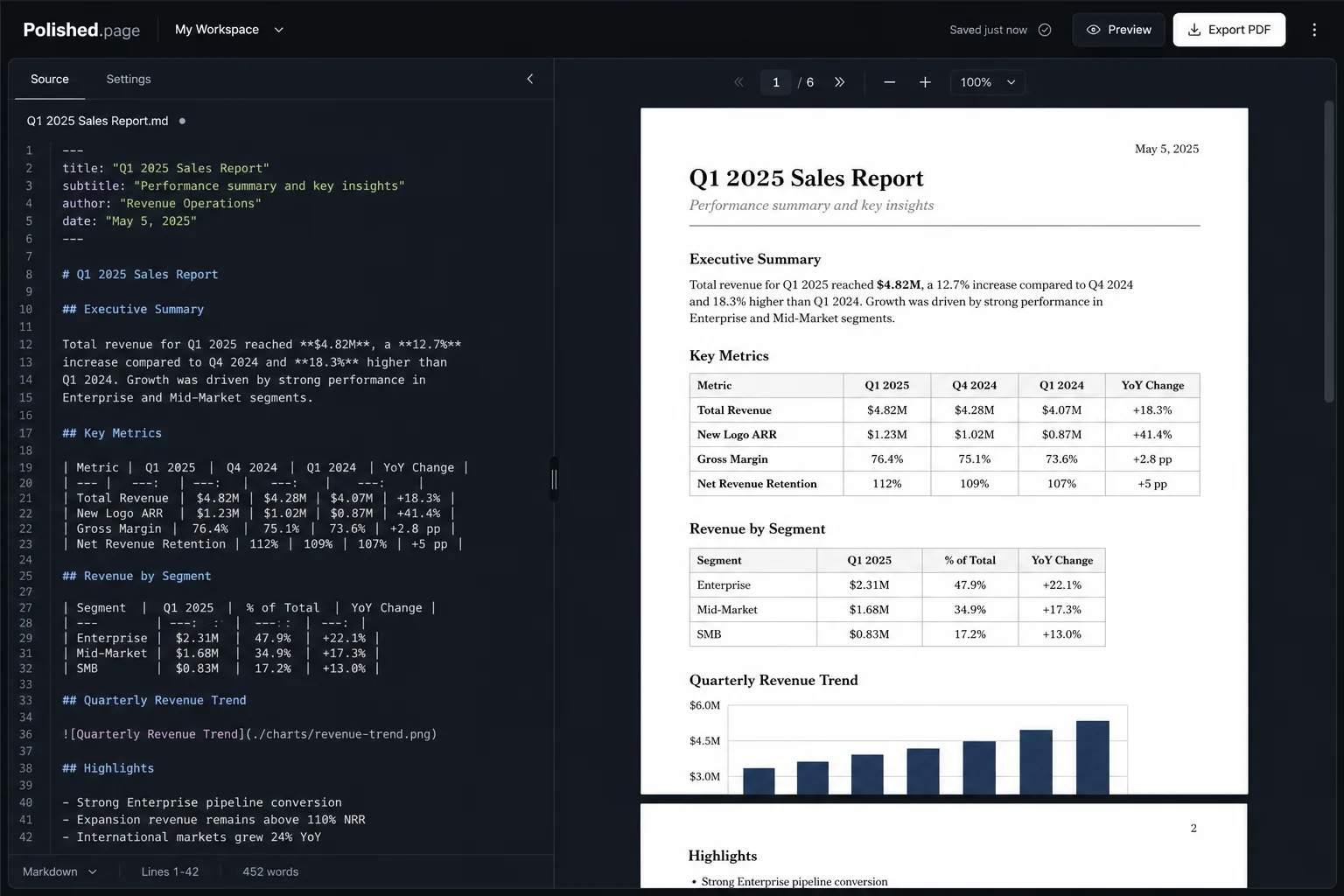
ChatGPT might generate something like this. Paste it directly into Polished.page—or open it in the editor with one click.
---
title: Quarterly Sales Report
theme: quiet-grid
pageSize: letter
orientation: portrait
coverPage: true
tableOfContents: true
pageNumbers: true
---

# Quarterly Sales Report

## Executive Summary

Revenue increased by 18% compared to the previous quarter. Enterprise renewals
remained the strongest contributor, while expansion pipeline improved across
every region.

## Regional Performance

| Region | Growth |
| --- | ---: |
| North America | 22% |
| Europe | 14% |
| Asia | 19% |

## Recommendations

- Expand the enterprise sales team in North America
- Improve onboarding for mid-market accounts
- Continue investment in customer success playbooks

## Delivery Flow

```mermaid
flowchart LR
  A[ChatGPT Markdown] --> B[Polished.page]
  B --> C[Publication theme]
  C --> D[Professional PDF]
```
Direct editor entry point: /?example=chatgpt-markdown-to-pdf
Supported features
- Headings
- Tables
- Images
- YAML
- Mermaid
- Callouts
- Procedures
- Code blocks
- Page numbers
- Cover pages
- TOC
- Word export
Why use Markdown?
Markdown separates content from presentation. You write the document once; a publication theme decides how it should look on the page.
One Markdown documentMany publication themes
That separation makes documents easier to maintain, review, and republish with different branding—and it fits AI-generated content because large language models naturally produce structured Markdown.
Why themes matter
Most editors treat themes as fonts and colours. Publication themes go further: cover pages, typography, margins, heading hierarchy, tables, page numbering, headers and footers, callouts, images, Mermaid diagrams, table of contents, and overall visual identity.
Theme showcase — exactly the same Markdown
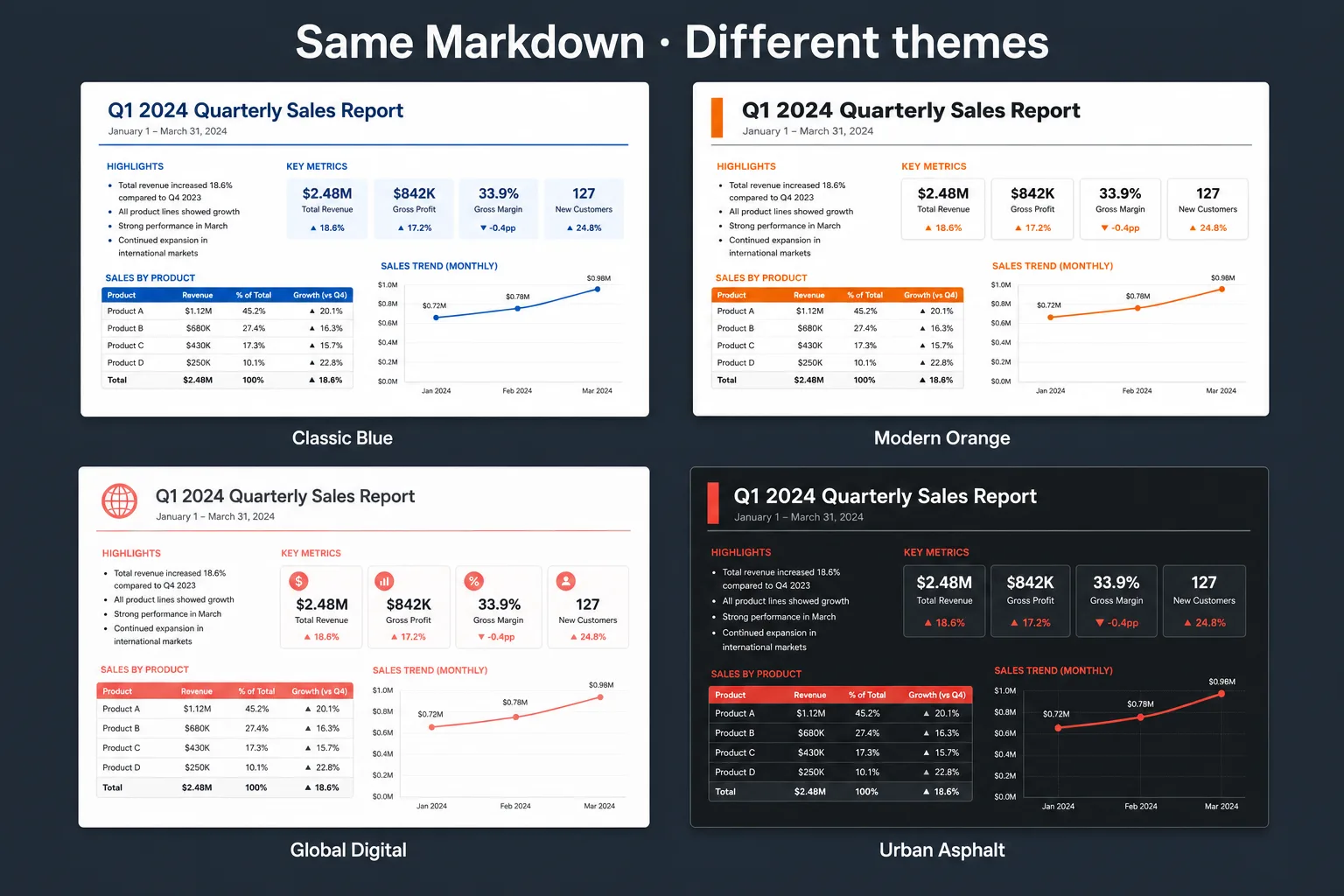
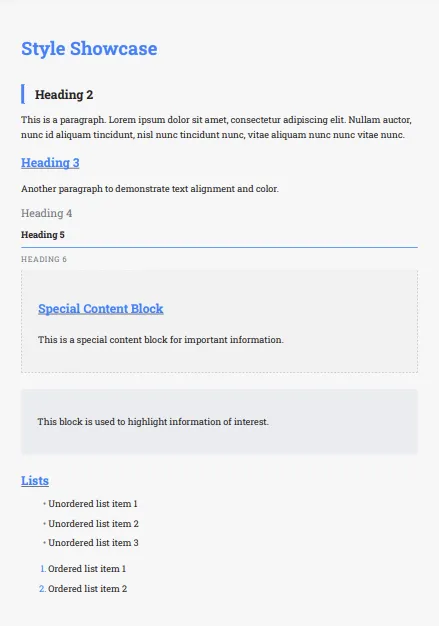
Classic Blue 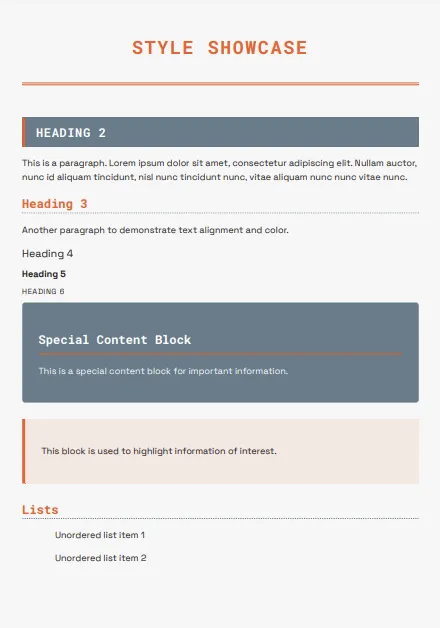
Modern Orange 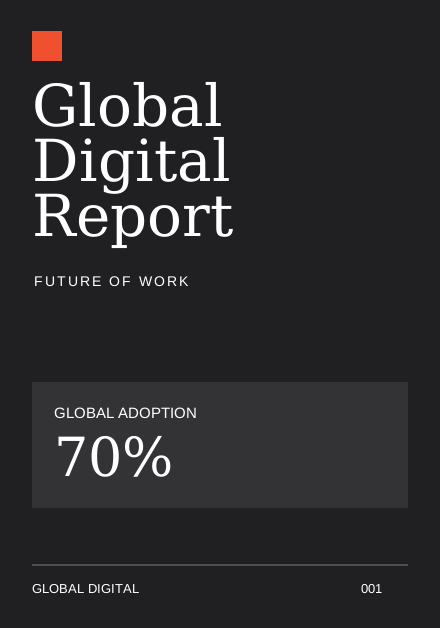
Global Digital 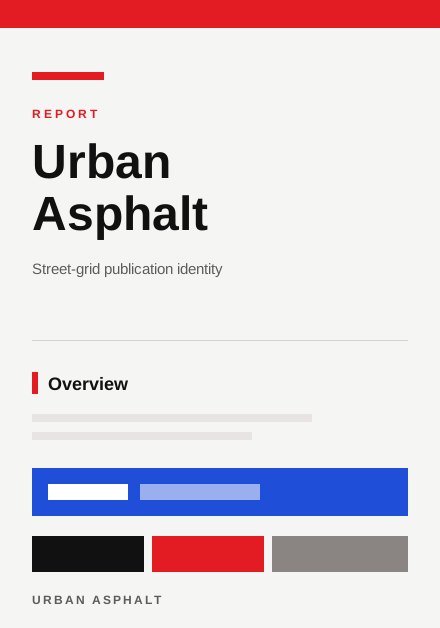
Urban Asphalt
Who is Polished.page for?
Anyone producing professional documents with AI: software developers, technical writers, product managers, consultants, engineering teams, agencies, startups, enterprise documentation teams, students, and researchers. The goal is the same—spend less time formatting and more time writing.
Privacy
Documents remain in your browser. Polished.page is designed so you can create, edit and export without needing to upload your content to a remote server for ordinary local editing—useful for confidential or proprietary drafts.
Frequently asked questions
Does ChatGPT generate Markdown?
Yes. ChatGPT commonly uses Markdown to structure headings, lists, tables, links, and code blocks. That structured text is easy to reuse in editors and publishing tools without retyping the document.
Can ChatGPT export PDFs?
ChatGPT can generate document content, but producing a professionally designed PDF usually needs another tool. Polished.page turns structured Markdown into polished, print-ready documents with publication themes.
Does Polished.page work with Claude?
Yes. Claude also produces high-quality Markdown that you can paste directly into Polished.page, theme as a full document, and export as PDF or Word.
Does it work with Gemini?
Yes. Gemini-generated Markdown can be pasted and published the same way—structure stays in the Markdown; presentation comes from the theme.
Does it support Cursor, Codex, and other AI coding assistants?
Yes. Any tool that produces standard Markdown—including Cursor, Codex, and Windsurf—can feed Polished.page. If you can copy Markdown, you can open it in the editor.
Can I include Mermaid diagrams?
Yes. Fenced Mermaid blocks render as diagrams in the paginated preview, which is useful for technical documentation, architecture notes, and software reports.
Can I customise the appearance?
Yes. Publication themes change the visual identity of the entire document—covers, typography, tables, callouts, and page chrome—without rewriting the Markdown.
Does Polished.page support YAML front matter?
Yes. YAML front matter can define document metadata such as title, publication theme, page size, orientation, cover, table of contents, and related document settings.
Is my document uploaded?
No. By default your work stays in your browser, so you can create, edit, and export without uploading the document to a remote server for ordinary local editing.
Is Polished.page free?
Yes. The browser editor is free to use, so you can paste Markdown, try publication themes, and export professional PDFs without an account.
Can I create Word documents?
Yes. In addition to print-ready PDF export, Polished.page can download an editable Word (.docx) file from the same Markdown source after local assets and diagrams are ready.
Can I edit the Markdown after pasting?
Yes. Source mode stays available so you can refine headings, tables, and diagrams in Markdown while the paginated preview updates toward a professional PDF.
Does it support GitHub-flavored Markdown?
Yes. Common GitHub Markdown patterns such as tables, task-friendly lists, and fenced code blocks are part of the editing and preview workflow.
Conclusion
Large language models have made writing dramatically faster. Formatting has not kept up. Polished.page bridges that gap: keep the structured Markdown, choose a publication theme, and export a polished professional PDF.
The result is a workflow designed for how modern documents are created—with AI generating the content, and Polished.page presenting it beautifully.
Keep exploring
- Open the Polished.page editor
- How to format a report
- AI document formatting
- Convert ChatGPT to PDF
- Format a ChatGPT report professionally
- Write professional documents with ChatGPT
- Markdown to PDF
- Markdown to Word
- Make a Word document look professional
- How to make a PDF look professional
- Apply a theme to an entire document
- Professional document templates
- Browse publication themes
- Document templates
- More guides
Also useful: How to make a Word document look professional.