How to Apply a Theme to an Entire Document
Appearance matters.
Changing it shouldn’t mean reformatting everything by hand.
Whether you’re finishing a report, proposal, technical manual, or internal docs, consistent typography and layout do the work before anyone reads the first sentence. Publication themes apply that identity to the whole document—not just a few style settings.
Changing appearance is rarely as simple as changing a theme
A well-designed document communicates professionalism before anyone reads the first sentence. Consistent typography, balanced spacing, clean tables, and a clear visual hierarchy make information easier to understand—and more enjoyable to read.
In most editors, visual inconsistencies accumulate over time. Headings get resized by hand. Tables arrive from different sources. Spacing drifts. Images need constant adjustment. Even after applying a new theme, many elements still need manual work.
Polished.page approaches document design differently. Instead of modifying formatting throughout the document, it separates content from presentation. The content stays the same. The publication theme controls how it looks.
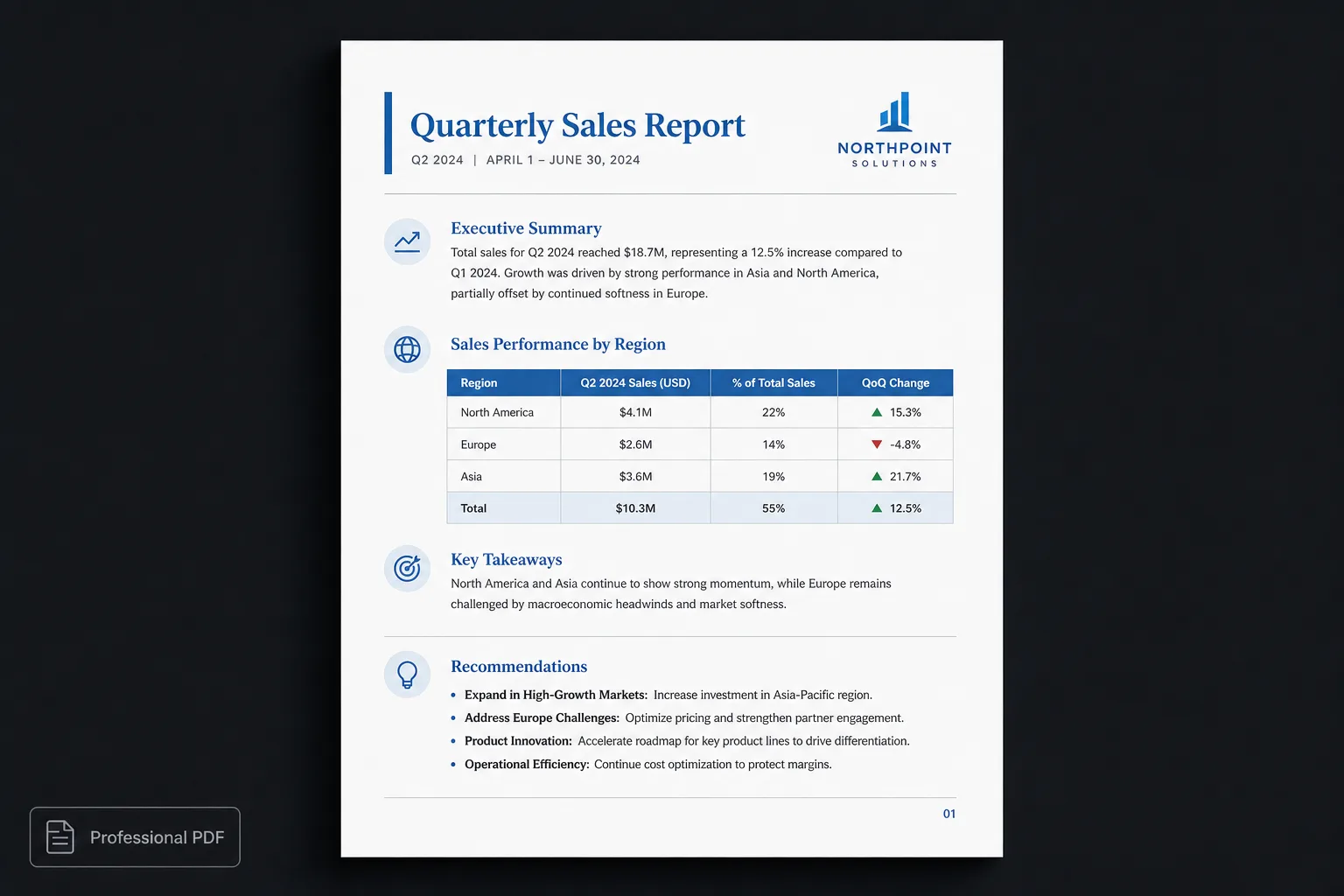
What is a publication theme?
A publication theme is more than a collection of fonts and colours. It defines the visual identity of the entire document.
A publication theme can control:
- Cover pages
- Typography
- Heading hierarchy
- Margins and spacing
- Tables
- Images
- Callouts
- Code blocks
- Page numbering
- Headers and footers
- Table of contents
- Overall page composition
Because every visual decision comes from the same theme, the document feels intentional from the first page to the last.
Why traditional themes have limits
Most document editors provide themes that primarily adjust colours, fonts, and basic style settings. They do not usually redesign the document.
Changing a theme rarely changes:
- The structure of the cover page
- Table styling
- Document spacing
- Callout design
- Code block appearance
- Technical diagrams
- Overall publication identity
As a result, many users still spend time manually refining the layout after selecting a theme.
| Word / Docs theme | Polished.page |
|---|---|
| Change fonts and colours | Restyle the whole publication |
| Fix tables after the theme switch | One table style everywhere |
| Rebuild the cover by hand | Theme-driven cover pages |
| Chase uneven spacing | Consistent page composition |
| Duplicate files per audience | One source, many themes |
| Export after another cleanup pass | Export polished PDF or Word |
A different workflow
Instead of formatting while writing:
- Create your content.
- Keep it as structured Markdown.
- Open it in Polished.page.
- Select a publication theme.
- Export a finished document.
Because the source remains unchanged, you can experiment freely. The same document can instantly become:
- A client proposal
- An engineering specification
- Product documentation
- An internal report
- A branded publication
…without rewriting or reformatting the content.
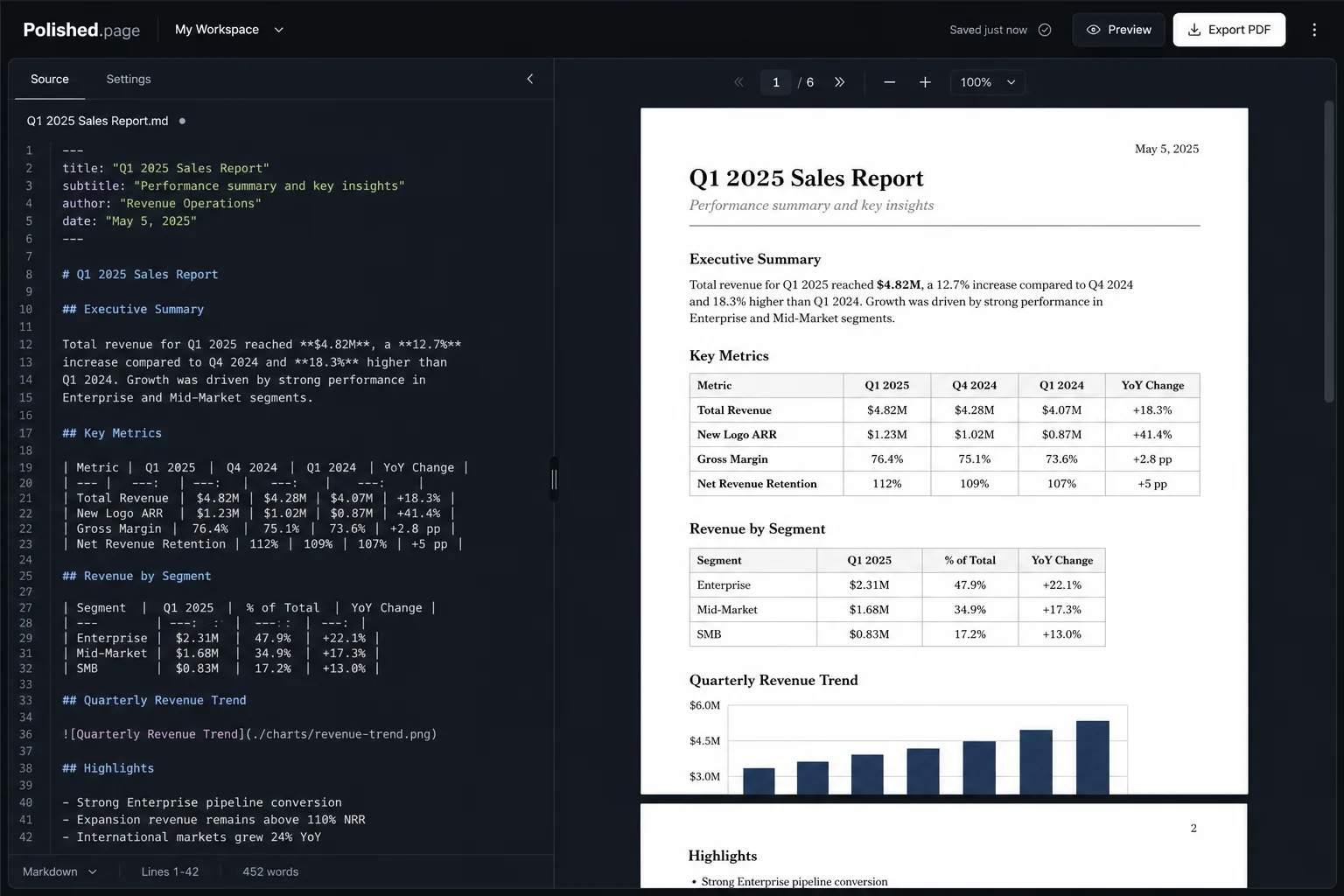
One document. Multiple identities.
Imagine preparing quarterly release notes. Different readers want different presentations:
Engineering
A technical layout with readable code and diagrams
Executives
A clean business report with clear hierarchy
Marketing
A more editorial publication feel
Rather than maintaining three separate documents, one Markdown source can be presented using three different publication themes. The information stays identical. Only the presentation changes.
Updates get easier because there is only one version of the content to maintain.
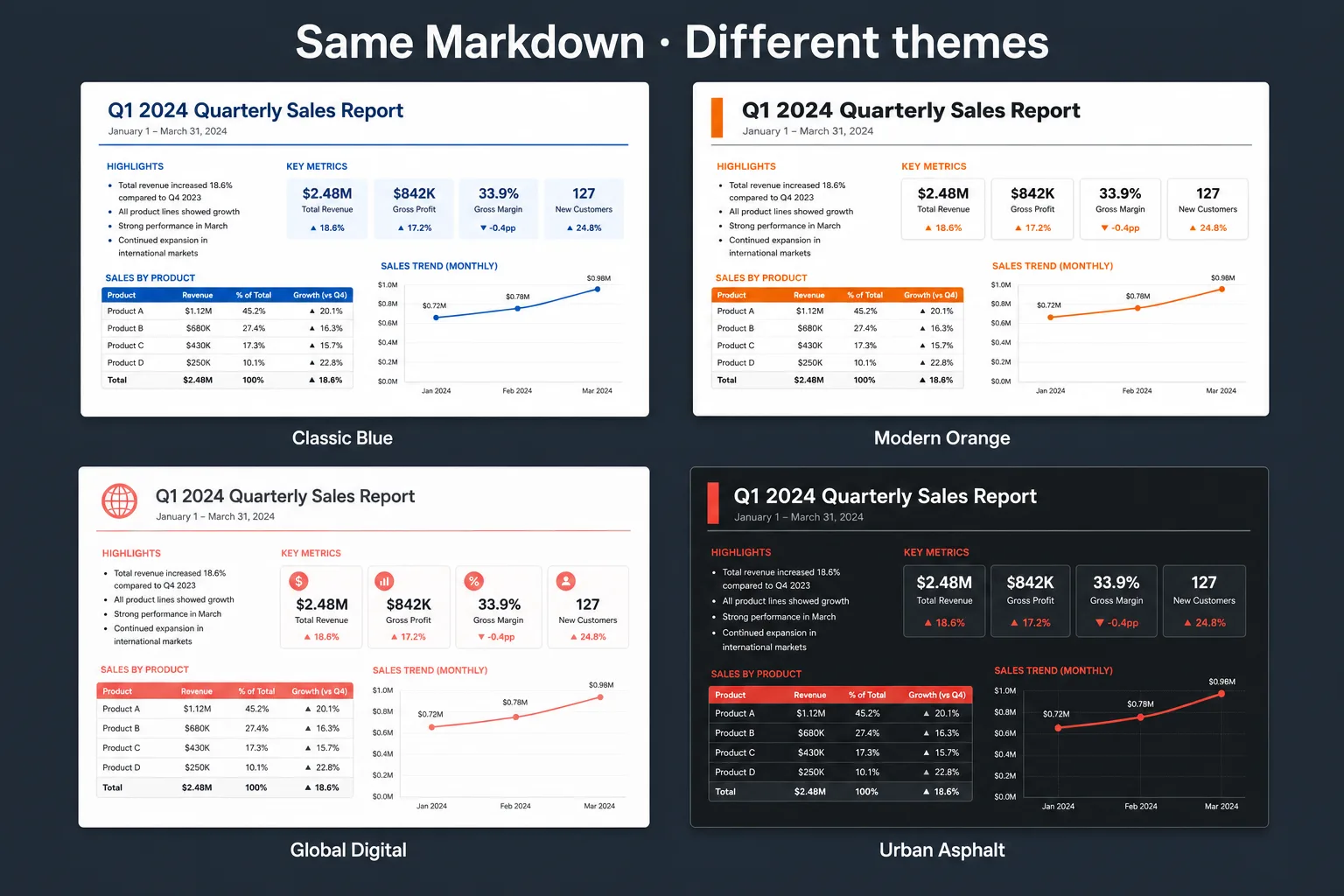
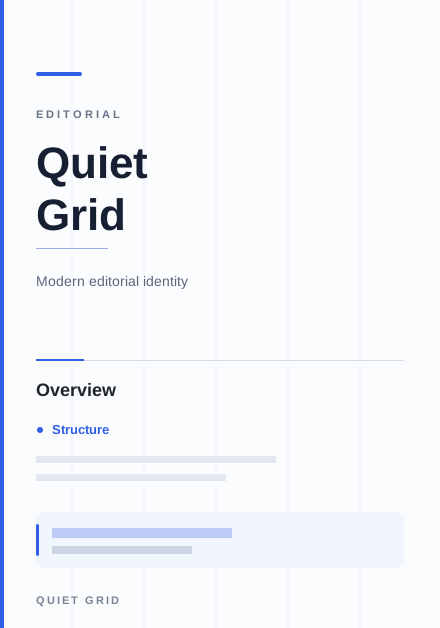
Quiet Grid 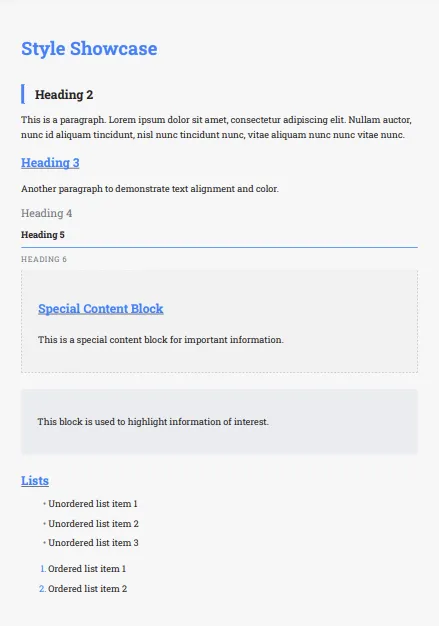
Classic Blue 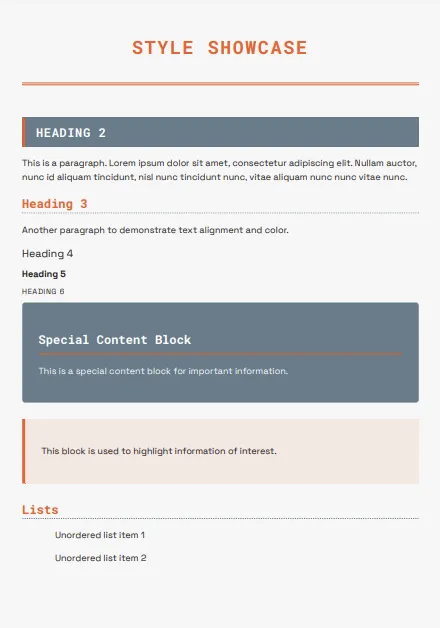
Modern Orange 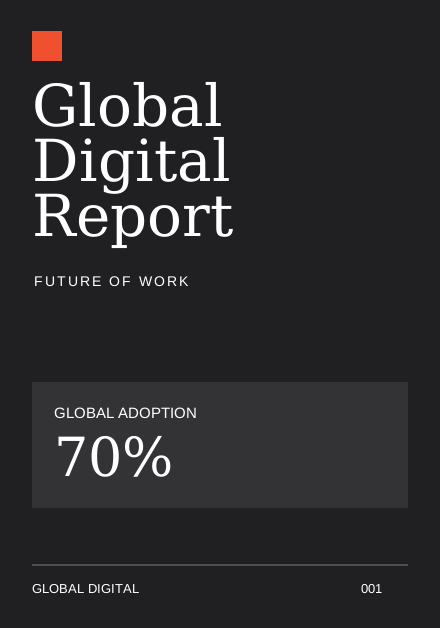
Global Digital
Why this works so well with AI
Modern AI assistants naturally generate structured Markdown. That means the document already contains semantic information such as:
- Headings
- Lists
- Tables
- Quotes
- Code blocks
- Links
Instead of losing that structure by repeatedly copying content between editors, Polished.page preserves it and applies a publication theme designed for professional documents. Less formatting work. More consistent output.
Examples of publication themes
Different documents communicate different things.
Technical specification
Clean typography, generous whitespace, readable code blocks
Consulting proposal
Executive summaries, strong hierarchy, polished cover pages
Annual report
A stronger editorial presentation for a wider audience
By changing the publication theme rather than the document itself, the same content can be adapted to different audiences in seconds.
Benefits of theme-based publishing
Separating content from presentation offers several practical advantages:
- Maintain one source document
- Keep formatting consistent across every page
- Change visual identity without editing content
- Produce documents faster
- Simplify collaboration
- Reduce formatting errors
- Create documents that feel published, not hand-patched
This publishing model has long been used for technical books, documentation, and software manuals because it scales better than manual formatting.
Live example
Here’s a quarterly release-notes sample you can open directly. Switch themes, paginate it, and export PDF or Word when you’re ready.
---
title: Quarterly Release Notes
theme: quiet-grid
pageSize: letter
orientation: portrait
coverPage: true
tableOfContents: true
pageNumbers: true
---

# Quarterly Release Notes

## Highlights

Version 2.4 shipped on schedule. Search is faster, export is more reliable, and
the new notification rules reduce noise for large workspaces.

## Changes by Area

| Area | Change | Audience |
| --- | --- | --- |
| Search | Indexed results return about 40% faster | All users |
| Export | PDF pagination recovers cleanly after diagram edits | Editors |
| Notifications | Quiet hours and digest mode for large teams | Admins |
| API | New webhook retries with signed delivery logs | Integrators |

## Upgrade Notes

1. Clear the local editor cache once after upgrading from 2.3.
2. Re-save any custom notification rules before enabling digest mode.
3. Review webhook signing keys if you already use outbound events.

## Release Flow

```mermaid
flowchart LR
  A[Draft notes] --> B[Markdown source]
  B --> C[Publication theme]
  C --> D[PDF or Word]
```

## Known Issues

- Large Mermaid diagrams may take a moment to settle before export.
- Older browsers still need a hard refresh after the first upgrade.
Direct editor entry point: /?example=apply-a-theme-to-an-entire-document
The same quarterly release notes become a paginated publication with a cover, table of contents, consistent headings, styled tables, a Mermaid release flow, and page numbers—under a technical theme such as Quiet Grid, or a more corporate look if you switch themes.
Features included
Polished.page supports modern document publishing with features built around the idea that structure should stay separate from presentation:
- Publication themes
- YAML front matter
- Cover pages
- Automatic page numbering
- Table of contents
- Images
- Tables
- Mermaid diagrams
- Callouts
- Procedures
- Syntax-highlighted code blocks
- Live paginated preview
- Professional PDF export
- Editable Word export
Frequently asked questions
Can I apply a theme to an entire document?
Yes. In Polished.page, publication themes control the appearance of the entire document—including typography, spacing, tables, page layout, and cover pages—while leaving the underlying content unchanged.
Is this the same as Microsoft Word themes?
Not exactly. Word themes primarily adjust fonts, colours, and basic style settings. Publication themes redefine the overall visual presentation of the document, so covers, tables, spacing, and page chrome stay cohesive.
Can I switch themes after writing?
Yes. Because themes are separate from the document content, you can change them at any time without rewriting or manually reformatting the document.
Will changing themes affect my Markdown?
No. The Markdown remains exactly the same. Only the presentation changes when you select a different publication theme.
Can I create my own publication themes?
Polished.page is built around reusable publication themes so you can keep a consistent visual identity across multiple documents. Choose a theme that matches the audience, then reuse it for every export.
Why use Markdown instead of Word formatting?
Markdown describes structure rather than appearance. That makes documents easier to maintain, easier for AI assistants to generate, and much easier to restyle with publication themes.
Final thoughts
Formatting should be the last step in publishing—not something you fight throughout the writing process.
By separating structure from presentation, you can focus on clear, accurate content while applying a professional visual identity in seconds. Whether you’re producing technical documentation, consulting reports, internal manuals, or AI-generated content, publication themes provide a faster, more consistent way to create documents that look designed from the first page.
Write once. Choose a publication theme. Publish with confidence.