AI Document Formatting: How to Turn AI-Generated Text into Professional Documents
Writing got faster.
Formatting did not.
Whether the draft came from ChatGPT, Claude, Gemini, Grok, DeepSeek, or the next model, the bottleneck is the same: turning AI-generated text into a document people trust. Keep the structure. Apply a publication theme. Publish.
AI changed writing. Publishing still lags.
Reports that once took hours can now be drafted in minutes. Technical documentation, proposals, meeting summaries, user manuals, and business plans can all begin with a simple prompt. Writing got faster. Formatting did not.
Many people discover that the final step, turning AI-generated text into a professional document, still requires considerable manual effort. Fonts need adjusting, headings become inconsistent, tables require cleanup, and page layouts rarely feel ready to share.
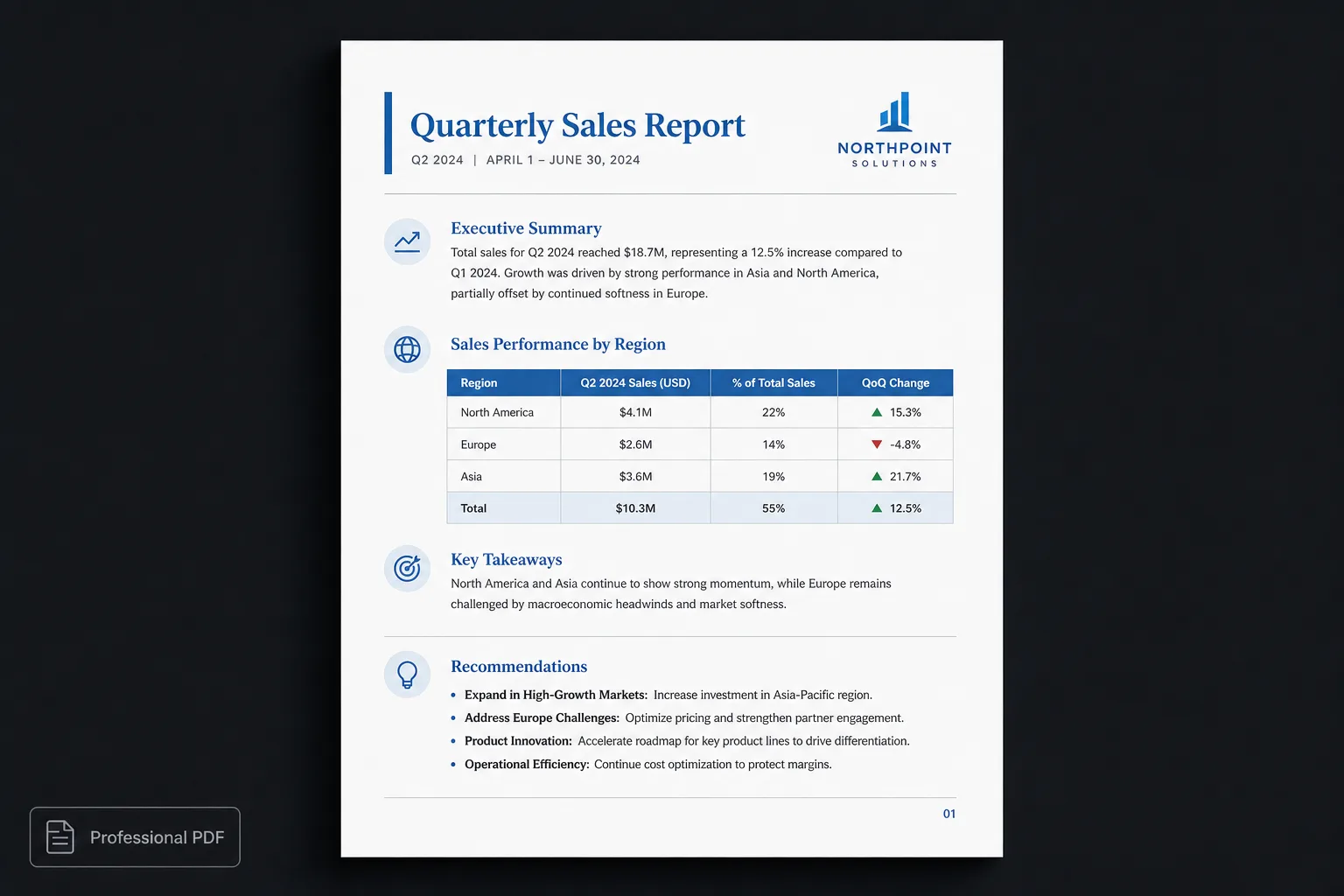
Why AI documents often feel like drafts
Large language models are designed to organize information. They excel at creating logical document structures with:
- Clear headings
- Ordered sections
- Lists
- Tables
- References
- Code examples
- Technical explanations
What they intentionally avoid is deciding exactly how every document should look. Presentation depends on the audience, branding, and purpose of the document. A technical specification should not look like a consulting proposal. A project report should not resemble product documentation. The content may be correct, but presentation still matters.
Formatting shouldn’t be manual
The traditional workflow usually looks like this:
- Generate content with AI
- Copy everything into Word
- Spend time fixing formatting
- Adjust tables
- Resize images
- Repair page breaks
- Export a PDF
For long documents, formatting often becomes the slowest part of the entire process. AI saves time writing while people spend that time polishing.
| Word / Docs cleanup | Polished.page |
|---|---|
| Paste into Word and restyle | Paste Markdown |
| Fix fonts and headings by hand | Publication theme |
| Rebuild every table | One table style |
| Hand-build cover and TOC | Cover + TOC options |
| Chase page breaks | Live paginated preview |
| Export after cleanup | Export polished PDF or Word |
Content and presentation are different things
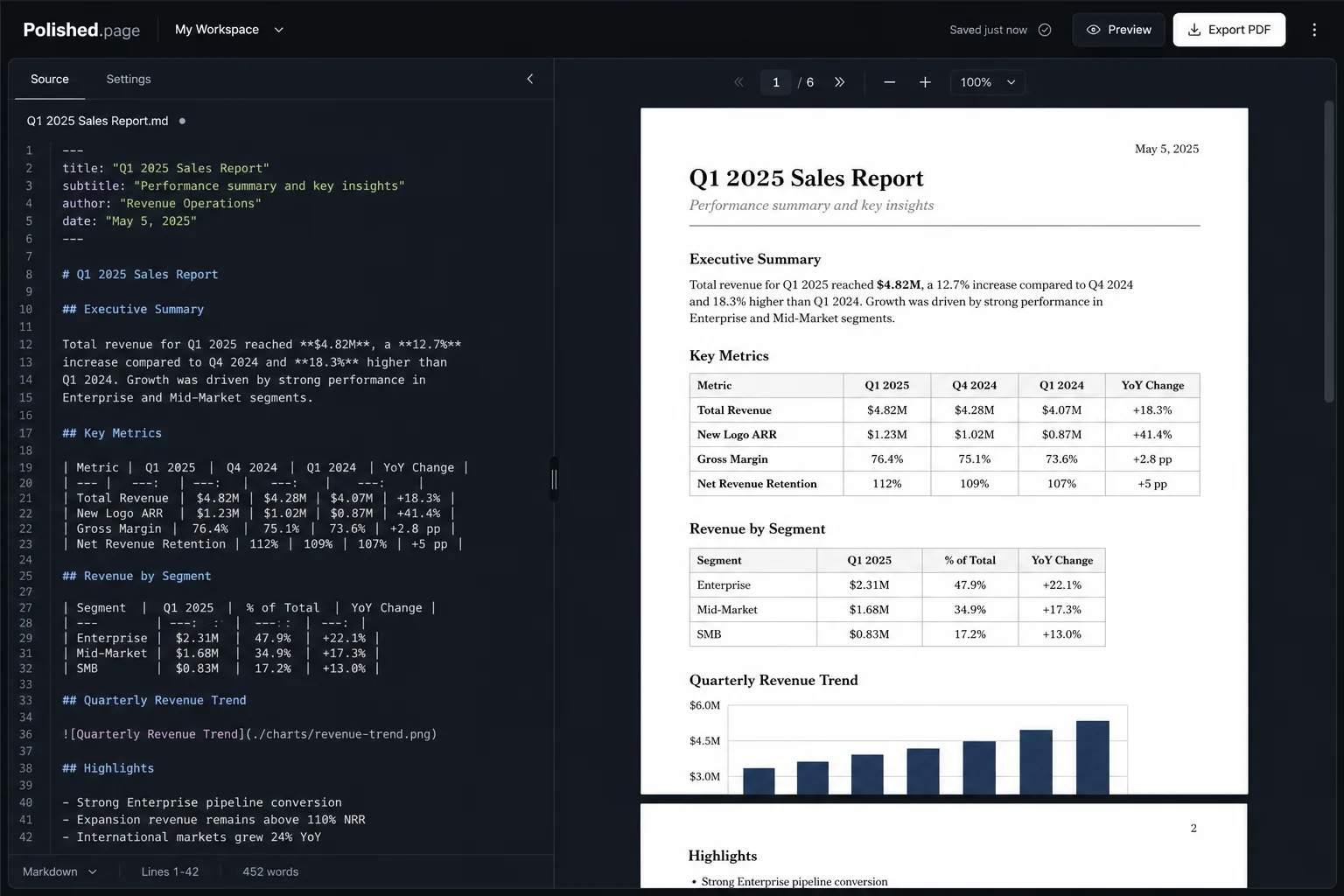
Professional publishing has long separated content from presentation. The words describe the information. A publication theme describes how that information should appear. This separation allows one document to be presented in multiple styles without rewriting the content.
Modern AI-generated Markdown supports this workflow because it already contains semantic structure rather than visual formatting.
Write once. Publish many ways.
Imagine creating a product requirements document with AI. Different readers want different presentations:
Engineering
A technical version with readable tables and diagrams
Leadership
A concise executive report with clear hierarchy
Customers
A polished user guide with the same underlying facts
Instead of maintaining three separate documents, maintain one structured source and publish it using different presentation themes. The information stays synchronized while the appearance adapts to the audience.
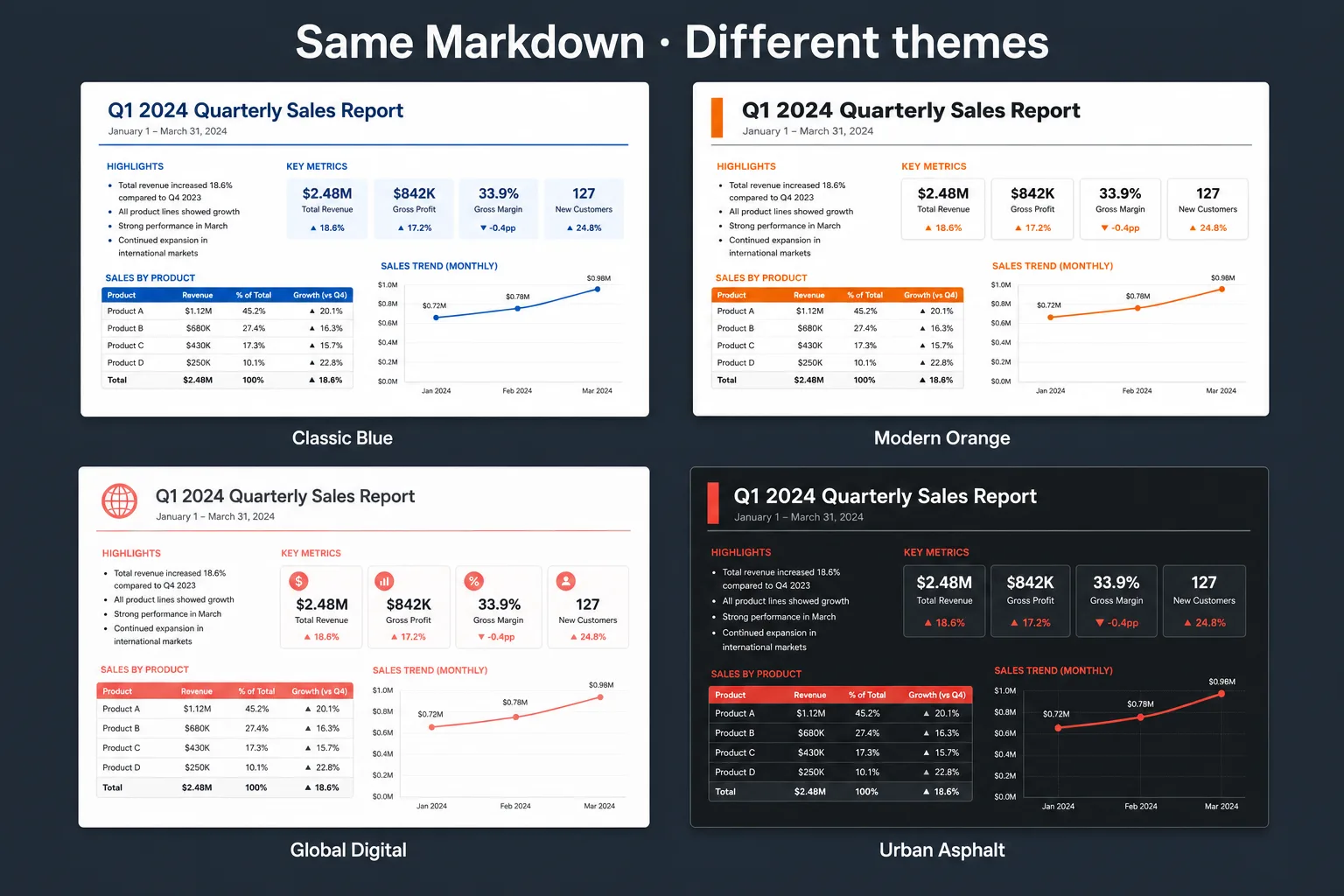
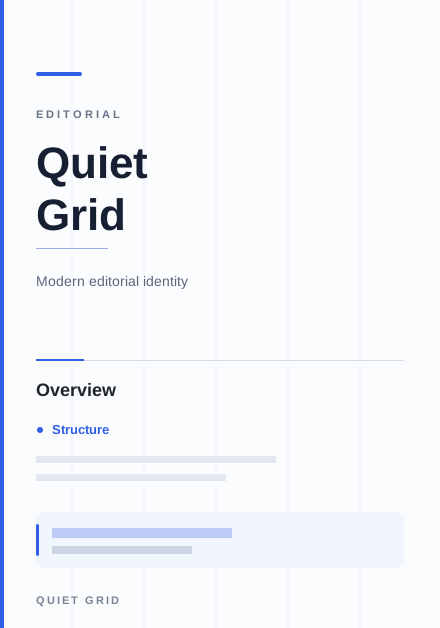
Quiet Grid 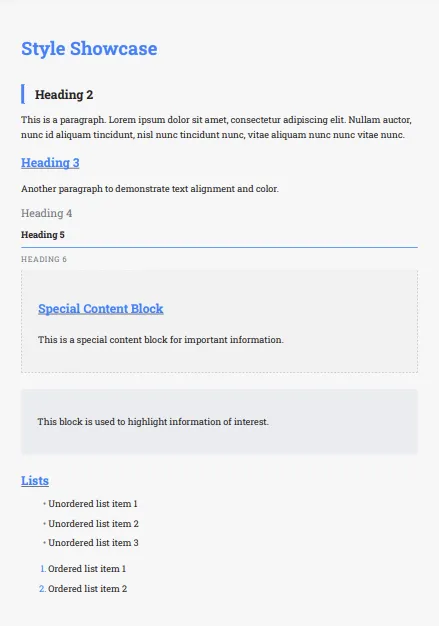
Classic Blue 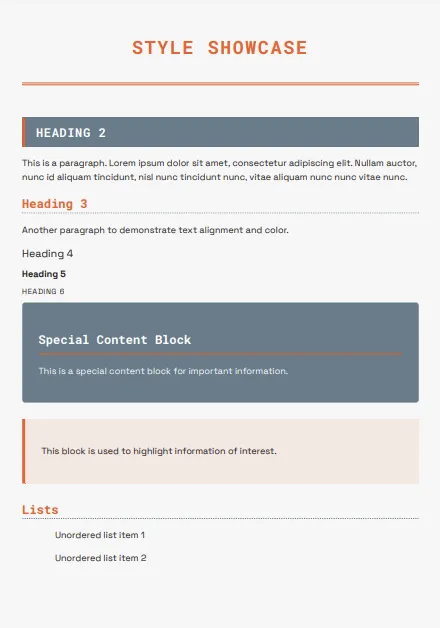
Modern Orange 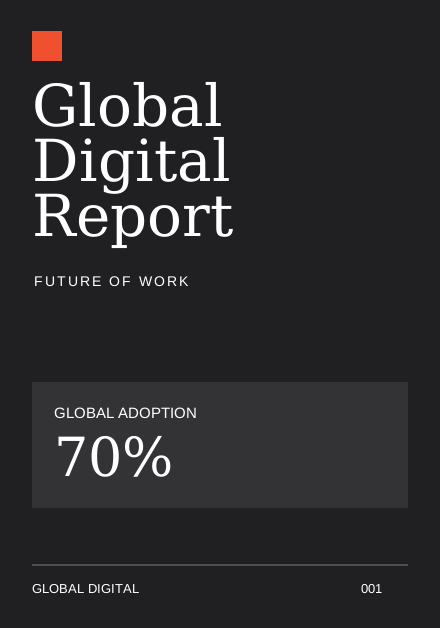
Global Digital
Why structure matters
Good documents are more than attractive typography. They have predictable organization. Readers immediately understand:
- Where each section begins
- What information is most important
- How tables relate to the surrounding text
- Which content represents warnings, notes, or examples
- How diagrams support the explanation
Structured documents improve comprehension because presentation reinforces meaning.
AI already produces structured content
Most modern AI assistants naturally generate:
- Markdown headings
- Lists
- Tables
- Links
- Code blocks
- Block quotes
Instead of discarding that structure by repeatedly reformatting documents manually, publishing systems can use it to create consistent, professional layouts. That reduces editing while improving quality.
What makes a document feel professional?
Professional appearance is rarely created by adding more design. It comes from consistency. Readers notice:
- Clear hierarchy
- Consistent spacing
- Balanced typography
- High-quality tables
- Predictable page layouts
- Clean diagrams
- Appropriate whitespace
- Well-designed cover pages
Every page should feel like it belongs to the same publication.
Live example
Here’s a product-requirements sample you can open directly. Switch themes for engineering, leadership, or customer-facing readers, then export PDF or Word when you’re ready.
---
title: Product Requirements Document
theme: quiet-grid
pageSize: letter
orientation: portrait
coverPage: true
tableOfContents: true
pageNumbers: true
---

# Product Requirements Document

## Overview

This document defines the requirements for the shared export pipeline. The goal
is a single structured source that engineering, leadership, and customer-facing
teams can publish with different presentation themes.

## Goals

1. Keep requirements in one Markdown source.
2. Support PDF and Word export from the same draft.
3. Make presentation changes without rewriting content.

## Requirements

| ID | Requirement | Priority | Owner |
| --- | --- | --- | --- |
| R1 | Preserve heading hierarchy from AI drafts | High | Platform |
| R2 | Apply publication themes across the full document | High | Design |
| R3 | Export paginated PDF with cover and TOC | High | Platform |
| R4 | Export editable Word without scraping print DOM | Medium | Platform |

## Audience Variants

- Engineering needs a technical specification with readable tables and diagrams.
- Leadership needs a concise executive summary with clear hierarchy.
- Customers need a polished user-facing guide with the same facts.

## Publishing Flow

```mermaid
flowchart LR
  A[AI draft] --> B[Structured Markdown]
  B --> C[Publication theme]
  C --> D[PDF or Word]
```

## Open Questions

- Which theme should be the default for internal reviews?
- Should customer guides share the same source as the engineering PRD?
Direct editor entry point: /?example=ai-document-formatting
The same product-requirements Markdown becomes a paginated publication with a cover, table of contents, styled requirements table, Mermaid publishing flow, and page numbers—under a technical theme such as Quiet Grid, or a more corporate look if you switch themes.
Built for modern publishing
Polished.page focuses on publishing rather than document editing. Instead of manually styling every report, proposal, or manual, the publication theme provides consistent presentation throughout the document:
- Publication themes
- Cover pages
- Automatic table of contents
- Page numbering
- Tables
- Images
- Mermaid diagrams
- YAML front matter
- Callouts
- Procedures
- Live paginated preview
- Professional PDF export
AI is changing how documents are produced
Ten years ago, most effort went into writing. Today, AI produces the first draft remarkably quickly. The bottleneck has shifted. Now the challenge is reviewing, refining, and publishing information in a form that readers trust.
As AI becomes part of everyday work, publishing systems become just as important as writing systems. The faster content is generated, the more valuable consistent presentation becomes.
Frequently asked questions
Can AI format documents professionally?
AI can generate structured content, but the final presentation usually needs a dedicated publishing tool that applies typography, layout, and consistent visual design across the whole document.
Which AI tools work with Polished.page?
Any AI assistant that produces Markdown or structured text can feed the same workflow, including ChatGPT, Claude, Gemini, Cursor, Codex, and similar tools.
Why does AI generate Markdown?
Markdown is a simple, portable way to describe document structure without embedding presentation. The same content can then be published in multiple formats and visual styles.
Is Markdown only for software developers?
No. Researchers, consultants, educators, technical writers, and anyone working with AI-generated content use Markdown because it is clean, readable, and portable.
Can I change the appearance later?
Yes. Publication themes separate presentation from content, so you can change the visual identity of the document without rewriting the document itself.
Is this workflow only for PDFs?
No. Separating content from presentation makes it possible to publish the same document in multiple formats over time while preserving consistency.
Final thoughts
Artificial intelligence has changed how we write. The next step is changing how we publish. Instead of treating formatting as a final editing task, treat it as part of a publishing workflow.
Write with AI. Review the ideas. Publish with a theme.
Publish a document that looks as professional as the thinking behind it.
Keep exploring
- Open the Polished.page editor
- How to format a report
- Convert ChatGPT to PDF
- Convert ChatGPT Markdown to PDF
- Format a ChatGPT report professionally
- Write professional documents with ChatGPT
- Apply a theme to an entire document
- Professional document templates
- Markdown to PDF
- Markdown to Word
- Make a Word document look professional
- Browse publication themes
- More guides